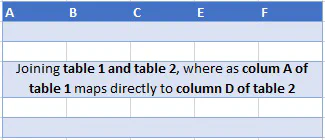
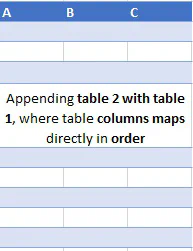
Working with multiple data frames often involves joining two or more tables to in bring out more no. of columns from another table by joining on some sort of relationship which exists within a table or appending two tables which is adding one or more table over another table with keeping the same order of columns.
Example of append data -> monthly files of revenue sheets of a company and wee need at end of the year to be clubbed into single table.
alt textalt text
alt text
alt text
Example of merging -> multiple files regarding employee education, compensation, performance all linked to each other in some identifier in each one of them which maps to employee master table and for doing analysis we need data from each of these tables in the same which can be achieved by merging.
We’ll look out for merging/joining two tables now and later will discuss the possibilities around appending to tables using pandas. To begin with let’s get create some dummy datasets.
importpandasaspdstates_codes = pd.DataFrame({'State':['Haryana','Punjab','Rajasthan','Uttar Pradesh','Madhya Pradesh'],'Code':['HR','PB','RJ','UP','MP']})states_area = pd.DataFrame({'State':['Haryana','Punjab','Uttar Pradesh','Bihar'],'Area_InSquareKM':[44212,50362,243290,94165]})# a dummy data filestates_literacyrate = pd.read_csv('literacy.csv')
states_codes
State
Code
0
Haryana
HR
1
Punjab
PB
2
Rajasthan
RJ
3
Uttar Pradesh
UP
4
Madhya Pradesh
MP
```python
states_area
```
State
Area_InSquareKM
0
Haryana
44212
1
Punjab
50362
2
Uttar Pradesh
243290
3
Bihar
94165
```python
states_literacyrate
```
State
Year
Literacy Rate
0
Haryana
2011
76.64
1
Rajasthan
2011
67.06
2
Uttar Pradesh
2011
69.72
3
Haryana
2001
67.91
4
Uttar Pradesh
2001
56.27
5
Rajasthan
2001
60.41
As you can see State column repeats across all three tables, meaning to say that in case it is required to pull out from these three table
-- .merge : For column(s)-on-columns(s) operations
-- .join : Join DataFrames using their indexes., if need to be on specific keys, then set keys to be the index